
IRIS for Google Docs
Your AI-powered writing tutor that lives right inside Google Docs®
Free for students • Requires instructor setup
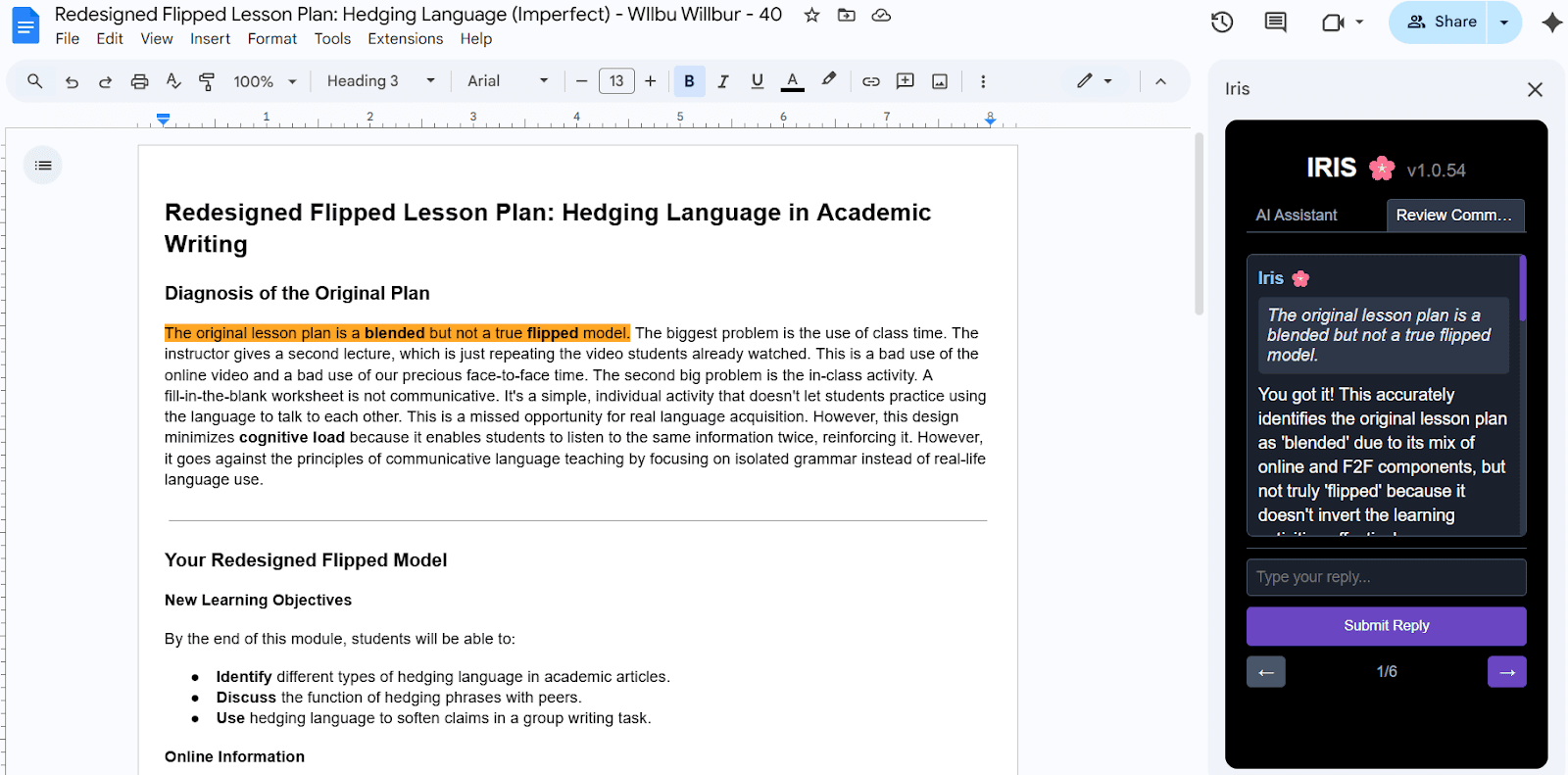
How IRIS Helps You Write Better
AI-Powered Feedback
Get intelligent, personalized feedback on your writing directly in Google Docs. IRIS analyzes your work and provides targeted suggestions to improve your writing.
Interactive Tutoring
Reply to IRIS comments and get thoughtful responses. It's like having a writing tutor available 24/7 to answer your questions and guide your revisions.
View All Feedback
Access all your feedback in one place with the IRIS sidebar. See comments, track your progress, and manage your writing improvements efficiently.
Integrated Experience
No need to switch between apps. IRIS works seamlessly within Google Docs, making it easy to write, revise, and improve without disrupting your workflow.
How It Works
Install the Add-on
Download IRIS from the Google Workspace Marketplace and authorize it for your Google account.
Work on Your Document
Write your assignment in Google Docs as usual. Your instructor will set up IRIS for your class and assignments.
Get AI Feedback
When your instructor generates feedback, IRIS analyzes your writing and creates helpful comments throughout your document.
Open the IRIS Sidebar
Click on the IRIS icon in Google Docs to open the sidebar. View all your feedback, reply to comments, and track your progress.
Improve Your Writing
Use IRIS suggestions to revise your work. Reply with questions to get more guidance and learn as you write.
Your Privacy Matters
IRIS only accesses documents you're actively working on when you use the add-on. We take your privacy seriously and follow strict security practices.
Powered by Google Gemini AI • Made for students and educators
Google Docs® is a trademark of Google LLC